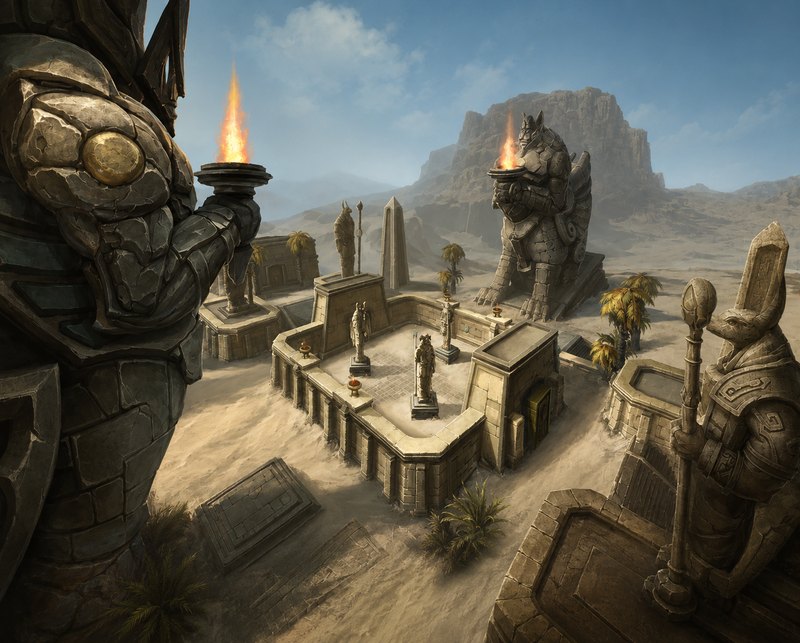
Battleground Blitz Guides
Map-by-map strategy for every Blitz battleground, with routes, timings, and win conditions.

The complete rated PvP improvement platform. Capture every match, analyze wins and losses, learn Blitz strategy, and queue smarter across Arena, Solo Shuffle, Battleground Blitz, and Rated Battlegrounds.
RatedTracker is in active beta. We are testing heavily, so expect bugs and rough edges. Please report anything you find on the Feedback tab.
Most PvP tools show what happened. RatedTracker helps you improve before you queue again.
Winning starts before the gates open.
RatedTracker's PvP Hub includes Battleground Blitz guides, interactive maps, battleground terminology, and strategy resources designed specifically for rated PvP.
Study the map before you queue into it.
Browse PvP Hub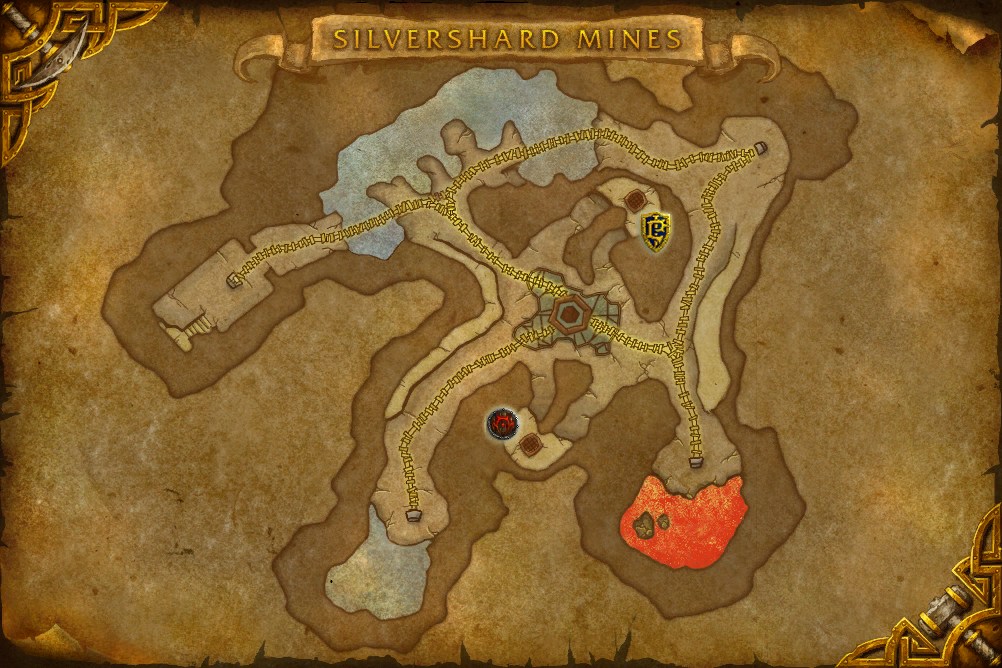
Map-by-map strategy for every Blitz battleground, with routes, timings, and win conditions.
Zoomable tactical maps with graveyards, objectives, power-ups, and callouts you can study before queue.
Plain-language battleground glossary so callouts, comps, and strats make sense faster.

Pair your combat log with RatedTracker and every kill becomes a story you can read.
For every first death:
Most PvP tools stop at who died. RatedTracker shows exactly why they died.
Stop guessing what killed you. Read it.
Your match history can answer questions most players never think to ask.
The Match Query engine lets you filter and explore your history in plain language.
Save the reports you rely on and reopen them whenever you need a fresh look at a pattern.

Open any match and inspect the full lobby: scoreboards, rating changes, Solo Shuffle round history, and deep combat analytics in one view.
Match analysis now includes:
The information Blizzard no longer shows is available after every match.
Because one match summary never tells the whole story.
 Top Ability
Maximum Hit
Most Cast
Crit Rate
Full Ability Breakdown
Top Ability
Maximum Hit
Most Cast
Crit Rate
Full Ability Breakdown
One dashboard. Every character. Every specialization.
See current matchmaking ratings across every tracked character and spec for the bracket you care about.
Compare win rates, rating trends, and form across specs, maps, and brackets without switching characters.
Surface the patterns hiding in your season: hot maps, cold streaks, and the trends worth acting on.
Pin the situational views and query results you revisit every week.
The dashboard turns your synchronized matches into trends, insights, and actionable comparisons.
Account-wide KPIs, Blitz placement, insights, class-colored spec performance, bracket cards, map tables, and performance summary in one dashboard.
Instead of guessing why you're gaining or losing rating, you'll know what to improve next.
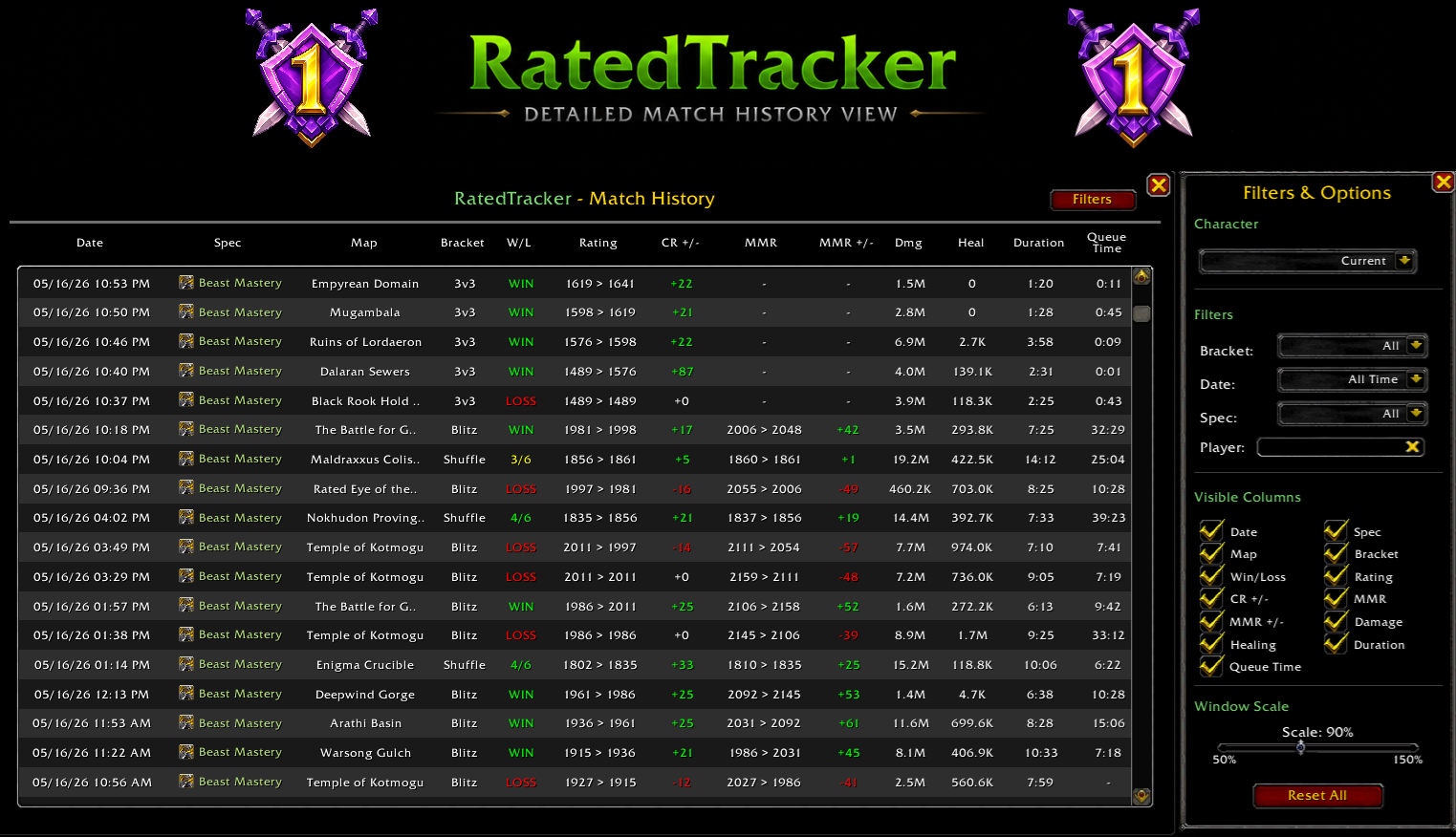
Every rated match is captured automatically, then turned into something you can study.
Review:
Spot the patterns that decide your rating.
The addon captures every bracket. The website turns it into review you can act on before your next queue.
Six-round tracking, round history, lobby performance, and player analysis.
Full scoreboards, objective tracking, team analysis, and map insights.
2v2 and 3v3 match history with rating progression and opponent tracking.
Roster analysis, objective data, and complete match review.

Send a match to the AI provider you already use, with prompts you control.
Get a second opinion without leaving your match history.
Open AI settingsThe Desktop Companion App is more than an uploader. It keeps matches, combat logs, backups, and analytics synchronized while you play.
Set up once. Play normally. Everything stays synchronized automatically.
The companion watches your World of Warcraft folder, imports new matches, links combat logs, and keeps the website current without daily maintenance.
Play games. Open RatedTracker. Your latest data is already there.
Choose your WoW folder once.
New matches and combat logs import without manual uploads.
Review, manage, and clean up combat logs from the desktop app.
Automatic backup and restore keeps your history safe across devices.
Full RatedTracker experience in a dedicated app shell.
Companion preferences, sync controls, and log retention in one place.
Less than five minutes from install to a fully synchronized improvement platform.

Install the RatedTracker addon from CurseForge or Wago. It records your rated PvP matches, ratings, scoreboards, and lobby information automatically. In the addon's options, enable Auto Combat Log so first death analysis and combat log breakdowns are captured.
Install the RatedTracker Desktop Companion App. It synchronizes your match history and combat logs automatically.
Choose your World of Warcraft folder one time. RatedTracker finds your SavedVariables, combat logs, and future match data. No further setup needed.

Queue Solo Shuffle, Battleground Blitz, Arena, or Rated Battlegrounds. New matches are captured and synchronized automatically.
Open RatedTracker for match history, account-wide dashboard insights, situational win rates, first death analysis, PvP Hub guides, and AI match review.
Install once. Connect once. Play normally. Capture, sync, analyze, and learn before your next queue.
Capture every rated match, learn Blitz strategy, analyze every win and loss, and improve before you queue again.
Ask a question or pick filters. Stats are computed from matching games only.
Type a question in plain words, tap a chip for a common one, or stack your own rules under Advanced filters.
Type a question
ww monk, pres evoker, blitz, twin peaksflag maps against pres evoker without pres on my teamweekend vs weekday, day vs night, top damagewhich healers do I win most withBuild it with Advanced filters
Each row is one rule and rows combine with AND. The fields you will use most:
Specs accept short names: pres, ww, mw, bm, hpal, destro, sub, ele, and so on. Worked example, "enemy Pres but no Pres on my team, flag maps only": Map type = flag_carry, Enemy has spec contains pres, My team has spec not contains pres. Or just type it.
Predefined queries from your upload. Each card is a saved filter set run by the match engine. Click a bar or View matches to open those games in Match History.
Computed live from your uploaded match history.
These cards stay visible so layout is ready when objective snapshots ship in the addon.
Windows may show a SmartScreen notice for a new app; choose More info, then Run anyway.
Automatically adds new matches and combat logs in the background. In the desktop app this runs inside the app's own window, with no separate web browser needed.
/rt options/reload) so the match saves. The app picks it up automatically.Enable Auto Combat Logging in World of Warcraft
/rt optionsCombat logs are required for advanced match analysis.
For users who do not want to install the desktop app.
C:\Program Files (x86)\World of Warcraft\_retail_\Logs\
Logs folder.WoWCombatLog-*.txt.C:\Program Files (x86)\World of Warcraft\_retail_\WTF\Account\
SavedVariables.RatedTracker.lua onto the box below.Overview of how your match data is protected.
Keeps a backup file on your PC updated automatically after every upload.
Not enabled
Choose a backup location once. RatedTracker will keep it updated automatically.
Download a portable backup file for manual storage or transferring between devices.
Recommended for occasional backups and moving data to another computer.
Store encrypted backup copies in your own cloud storage accounts.
Not connected
Not connected
Replace your current RatedTracker data with a previous backup.
Warning
Restoring replaces your current RatedTracker data. This action cannot be undone.
Manage stored combat logs and reclaim disk space.
Size: —
This file is currently being written by World of Warcraft. It cannot be deleted while the game is running.
Re-reads combat log files with the current parser and updates spell breakdowns (for example UA dispel backlash). Does not change live sync.
| Filename | Size | Last Modified | Status |
|---|
Remove archived logs automatically. The current active log is never deleted.
RatedTracker Companion
Install Path
Detecting...
Zoom Level
Hard Refresh
Reload the application while ignoring cached files.
Open the folder where World of Warcraft writes combat logs.
Updates download in the background. When one is ready, use Restart to Update or fully quit and reopen the app. You can also use Check for Updates in the tray menu.
Not affiliated with or endorsed by Blizzard Entertainment.
Default OFF · reversible · non-blocking
Allow minimized records from uploads to improve aggregate analytics.
Upload your per-match combat events so players who played the same games can be cross-referenced for a more complete match detail and analytics. Only games you already have are shared.
Remove minimized rows linked to your account.
Opt-in retention: season, bracket, map, result, duration buckets, MMR bands, class/spec tokens — never names.
Early access recording: when you load the site, RatedTracker sends a summary of your uploads (character names, specs, brackets, peak rating, match count) tied to an anonymous device ID. This runs the invite system, is separate from the opt-in contribution above, and is removed when early access ends.
Connect your provider, manage prompt templates, and verify everything is ready. Analysis runs from individual matches with Analyze Match.
Configure an AI provider below to enable match analysis.
This page manages your AI setup. When you click Analyze Match on a match in Match History or Match Details, RatedTracker shows your prompt templates so you can pick one or use your default.
Bring your own API key. It is stored only in this browser and sent directly to your provider.
Every analysis uses one of these templates. Set a default here; pick a different one when you analyze a match.
Use these inside a prompt. They are replaced with this match's data before the request is sent.
Usage statistics for this browser session only.
Controls the Day vs night card on Situations and the daytime / nighttime query filters.
Daytime = 06:00 - 18:00 (local). Nighttime is everything else.
Bug reports, improvements, feature ideas, and AI output issues. For bugs and AI feedback, include a match share link so we can open the exact match.
Questions, partnerships, or anything that does not fit the form above.
Website and companion app updates, newest first.